01 · Check limit
Compare allowed size with the source PDF.
PDF tools
Make a PDF easier to share, email, or submit — with no sign-up or usage limit.
Optimization level
Complete
optimized-document.pdf
PDF UPLOAD SIZE ERROR GUIDE
When a PDF will not upload, aim slightly below the stated limit. Compare source size with the limit, choose compression, and open the result to check text, tables, and images before uploading again.
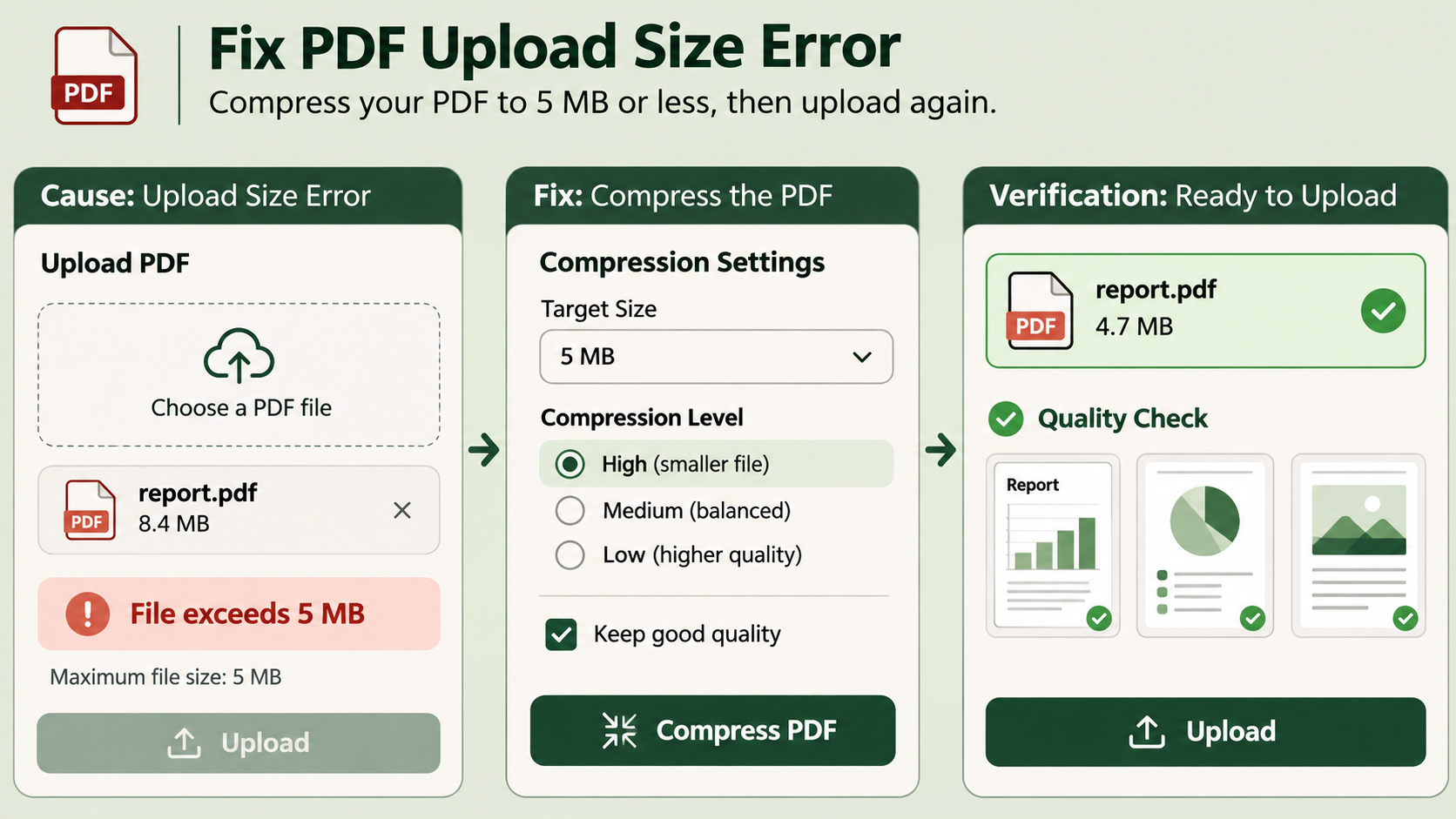
Compare allowed size with the source PDF.
Choose a target with room below the limit.
Review final size, text, tables, and images.
COMPRESS PDF GUIDE
Large PDFs can be difficult to email or may exceed an upload form’s limit. Start with recommended compression, then check the downloaded PDF’s size and readability before you submit it.
File-size reduction depends on the original PDF. This tool does not promise a specific target such as 1MB or 5MB. Open the result and zoom in on small text, signatures, and scanned pages before sending it.
Every PDF is different, so a fixed output size cannot be guaranteed. Try the available levels and check the downloaded file size.
For the best quality, retry from the original PDF rather than repeatedly processing an already compressed file.
PRACTICAL PDF SIZE GUIDE
PDF upload limits vary, often 1MB, 5MB, or 10MB. Check the destination rule first, then review both the downloaded file size and the readability of small text, stamps, tables, and scans.
For strict application limits. Always confirm the final file size.
A common limit for general portals and email attachments. Start by comparing recommended compression.
Often used for scanned or photo-heavy submissions. Readability checks are especially important.
Reduction varies with the PDF structure and included images, so an exact output size cannot be guaranteed. Check the actual downloaded size.
Already optimized or text-heavy PDFs can have little removable data.
No. Compression creates a separate new PDF and keeps the original file unchanged.
CHECK THE RESULT SIZE
A text- and vector-based PDF may shrink when its save structure is optimized, while a scan full of images may change very little. If a portal has a 1MB or 5MB limit, check both the final size and whether small text, stamps, and tables remain readable.
Password-protected or damaged PDFs may not be processed. Confirm that the PDF opens normally first.
Exact size depends on the document and embedded images, so it cannot be guaranteed. Leave a margin below the upload limit.
No. Optimization creates a new PDF file.
Files that are protected or do not open normally may not be processed.
PRACTICAL GUIDE
If a form says your PDF is too large to upload, check its stated maximum size first. After compression, review not only the file size but also page count, format, and text clarity before submitting again.
The PDF is larger than the maximum file size allowed by the destination site. Check that limit first.
Already optimized or text-heavy PDFs may have little removable size.
Check PDF format, password protection, page count, and the site’s total-attachment limit too.